[Update 2026-Oct: Add Liberty 5 earbud to the list]
1. The story
In our working environment where we make numerous audio and video calls, call quality directly impacts our communication and the impression we make.
There can be many issues, such as: the video being too dark or blurry, our voice not being picked up clearly, difficulty hearing others, or background noise like music, voices from people nearby, heavy rain or storms, dog barking, etc.
I also encountered a strange problem where, sometimes, using the same microphone, it picked up other voices clearly but not mine.
After dealing with many of these issues and trying various devices, I finally found some that I can confidently use for my daily calls.
Here are some devices that I used to deal with them.
2. Current devices
| Type | Device | My Rating | Use case |
|---|---|---|---|
| Webcam | Logitech Brio 500 | 9/10 | Daily Fixed location |
| Microphone | Rode VideoMic Go II | 9/10 | Daily Fixed location |
| Microphone | DJI Mic 2 | 8/10 | Occasionally Portable (need high audio quality) |
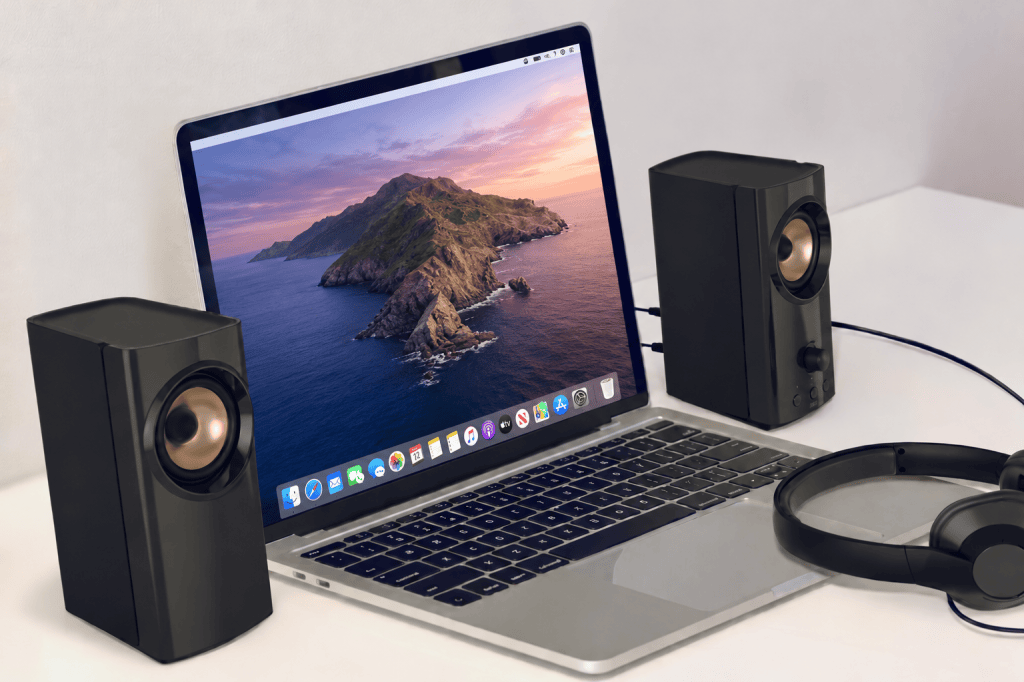
| Speaker | any speaker nowadays is good for an audio call. | n/a | Daily Fixed location |
| Headphone | Anker SoundCore Liberty 5 Pro Max | 9/10 | Daily Portable |
Logitech Brio 500
Good
- Very good image quality
- Good light correction in a poor light environment
- Auto-framing is very useful, I don’t have to worry about out-of-frame as it will manage the zooming automatically to keep me in the frame.
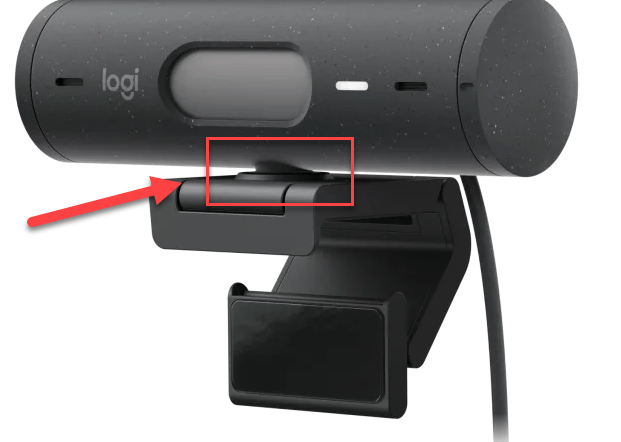
- Build-in privacy shutter.
- Offer 3 different FoV: 90°/78°/65° with the digital zooming ability
- Flexible mount design where I can easily rotate the camera.
Where the privacy shutter and wider FoV is the main reason I pick this device.
Bad
I’m really happy with this device until now.
If there is anything, there is a minor aspect that could be improved: it would be the mount design, as it doesn’t seem very secure and can easily shift out of position. But it’s ok to me, it’s not so bad.
Recommendation
I highly prefer this model due to it: privacy shutter, balanced FoV and auto-framing feature.
Rode VideoMic Go II
Good
- High-quality audio
- Picks up the voice clearly where the microphone is out of the webcam
Bad
- It’s quite sensitive and can pick up background noise and voices very clearly. Make sure to avoid unwanted sounds being captured.
DJI Mic 2
Good
- High wireless audio quality.
Bad
- Positioning the microphone at the center of your chest or on your collar may not work well in outdoor or noisy environments.
- You may need to speak louder to ensure your voice is captured clearly, or move the microphone closer to your mouth (similar to how a microphone is held during an interview).
Anker SoundCore Liberty 5 Pro Max
Good:
- Excellent Active Noise Cancellation (ANC).
- The best microphone I’ve used so far, especially in noisy environments. Compared to my previous Huawei FreeBuds Pro 3, the microphone offers much better background noise cancellation and a higher recording volume, making my voice clearer and easier to hear.
Bad
- The charging case is a bit bulky for my preference.
- Compared to other earbuds I’ve used, the transparency mode sounds less natural, as it seems to amplify ambient noise more than necessary.
- The touch controls are just okay. I often accidentally switch ANC modes without noticing, especially when removing the earbuds to chat with friends. I prefer the more intuitive controls on my previous Huawei FreeBuds.
3. Previous Devices
| Type | Device | My Rating |
|---|---|---|
| Webcam | Logitech HD C270 | 7/10 |
| Headphone | Logitech H111 Logitech H340 | 6/10 |
| Headphone | Apple AirPods Pro 2nd | 5/10 (doesn’t work with Windows devices) 7/10 (for macOS/iOS devices) |
| Headphone | Jabra Evolve2 75 | 7/10 |
| Headphone | Jabra Elite 4 Active | 7/10 |
| Headphone | Samsung Galaxy Buds FE | 6/10 |
| Headphone | Huawei FreeBuds Pro 3 | 8/10 |
Logitech HD C270 (webcam)
Good
- Reasonable price
- Good Quality
Where the “cheap” is the main reason, I decided to pick this device.
Bad
- A field of view (FoV) of 55 is too narrow for me. If I’m not paying attention, the camera either fails to capture my face or my face ends up covering the entire frame, which is not ideal.
Recommendation
- It’s a good and low-cost webcam.
- However, If I would prefer a higher model with a larger FoV.
Logitech H111, Logitech H340 (on-ear, wired)
Good
- Reasonable price
- Clear voice with boom arm
Bad:
- Not so portable
- Doesn’t work well with noisy environment.
Recommendation
- Low cost
- No need for portable.
- Having quiet environment.
Apple Air pods Pro 2nd (on-ear, wireless)
Good:
- Good sound quality.
- Working well with iOS
Bad:
- Not working well with Windows for example: the microphone doesn’t work or the volume is extremely low.
Jabra Evolve2 75 (on-ear, wireless+wire)
Good:
- Good sound quality.
- Excellent noise cancelling.
- Good battery life.
- The microphone is good in low noise environment.
Bad:
- Microphone: It’s overpriced and not worked as advertised. In the noisy environment, it drops or won’t pick my voice clearly, especially when I speak fast or lower my voice..
- My microphone died twice within 2 years (returned and got a new one, and died again after 1 year)
Jabra Elite 4 Active (in-ear, wireless)
Good:
- Good sound quality
- Comfortable
- Good ANC quality
Bad:
- The microphone is good. But it doesn’t work well in noisy environment.
- The ANC feature will be off if I’m on a call.
Samsung Galaxy Buds FE (in-ear, wireless)
Good:
- Good and simple design.
- Reasonable price
- Having ANC feature (just ok)
Bad:
- The microphone is just ok. I need to speak louder and need a quiet environment to have the best quality.
Huawei FreeBuds Pro 3
Good
- Excellent sound quality.
- Good ANC performance.
- Top-tier microphone quality, especially in noisy environments.
Bad
- Despite its excellent microphone quality, it occasionally misses some of my words in noisy environments, so I sometimes need to speak a bit louder to ensure my voice is captured clearly. Overall, though, it performs exceptionally well most of the time.
4. How I pick my device
4.1 Video/webcam devices
I’m not too concerned about image quality since webcams nowadays typically come with good image resolution and quality (at least 720p).
There are two common problems I often face:
- Out of Focus: Sometimes the image is blurry because it’s out of focus.
- Poor Field of View (too narrow or too wide): Sometimes, my face fills the entire video frame, or the background is too wide, capturing unnecessary objects or people nearby.
Recommendation:
- I prefer webcams with an auto-focus feature.
- I prefer a wider field of view (e.g., ≥ 75) with zooming capabilities, allowing me to adjust the frame size to suit my needs.
4.2 Audio/microphone devices
Speaker vs headphone
I always prefer speakers over headphones as they are better for ear health and much more comfortable.
However, when working in the office, at home, or in public spaces, I use headphones to avoid disturbing those around me and to maintain privacy.
Recommendation: Use a combination of speakers and headphones, where speakers for private settings and headphones for public environments.
Surroundings can affect listening quality
In environments with a lot of loud noise, it directly impacts our listening or focusing ability.
Recommendation:
- ANC (Active Noise Cancelling) is recommended if It’s possible.
Surroundings can affect call quality
No matter how high-quality or advanced our microphone is, noise will always affect the voice recording quality.
In environments with low-medium noise levels, noise-canceling technology can help significantly.
However, in environments with a lot of loud noise, it directly impacts our voice waves, and the technology cannot fully reproduce our voice at 100%. This can lead to common issues such as missing words, unnatural voice quality, or inconsistent volume levels – sometimes too low, other times too high,…which may come across as unprofessional or perhaps cause misunderstanding.
Recommendation:
- If the call is important, we should try to find a quiet place to take it.
- If the environment isn’t too loud (for example, where two people can still communicate face-to-face), noise-canceling devices and AI powered software can help us to manage the situation. While it may not be ideal, it can at least ensure basic communication where others can understand us.
Technical limitations of Bluetooth can affect call quality
Due to the technical design the Bluetooth protocol would have higher latency and lower bandwidth to deliver data. Especially when we are in the calling mode (listening and speaking at the same time). There is also interference that can impact to the signal quality
That’s why you will notice the listening experience will be reduced a lot as the devices want to reserve bandwidth for the sound recording as well – See Why does my Bluetooth audio quality reduce when I’m in a call? | Audio-Technica . This explains why there are still the Wi-Fi headset instead of the purely Bluetooth.
Hopefully in the future there would be a Bluetooth protocol that can help us to use it over calls more effectively
Recommendation:
- A wired microphone or headset is the best option for recording and listening quality.
- The second-best option is using a wireless system (e.g., 2.4GHz wireless system, UHF,..), which can efficiently transfer large amounts of data, including sound data. We just need to pay attention to battery life, the latency and distance.
- The Bluetooth devices are ok for the communication purpose, it’s not bad. If we need the highest audio quality the wired or professional grade wireless system would be the better options.
Technical limitations of Microphone’s Design can affect call quality
From my experience, I would avoid earbud headsets (with the mic positioned near your ear), as they are not great at picking up your voice. They require a low-noise environment and/or speaking louder to ensure good quality.
However, if we have a strong voice and are in an environment where speaking loudly is acceptable, these devices can work fine. For example, when I move to a private meeting room or personal room with my laptop, I often use the earbud as it’s very convenient.
If we want an earbud in noisy environment, I recommend the device that have the bone conduction microphone, which helps capture your voice better.
Recommendation:
- Important call:
- Best option: If possible, a separate microphone is the best option for quality. However, it may be slightly inconvenient if you want to move around.
- 2nd best: Alternatively, using a headset with a boom arm mic positioned near your mouth is a good choice.
- 3rd best: using a headphone with bone conduction microphone.
- Any headphones that allow you to position the mic close to your mouth will also work well, but it can be a bit inconvenient and appear unprofessional when speaking on a webcam or camera.
- For other calls: earbud headsets are fine as long as you have a quiet environment.





Leave a Reply